 CarSignal
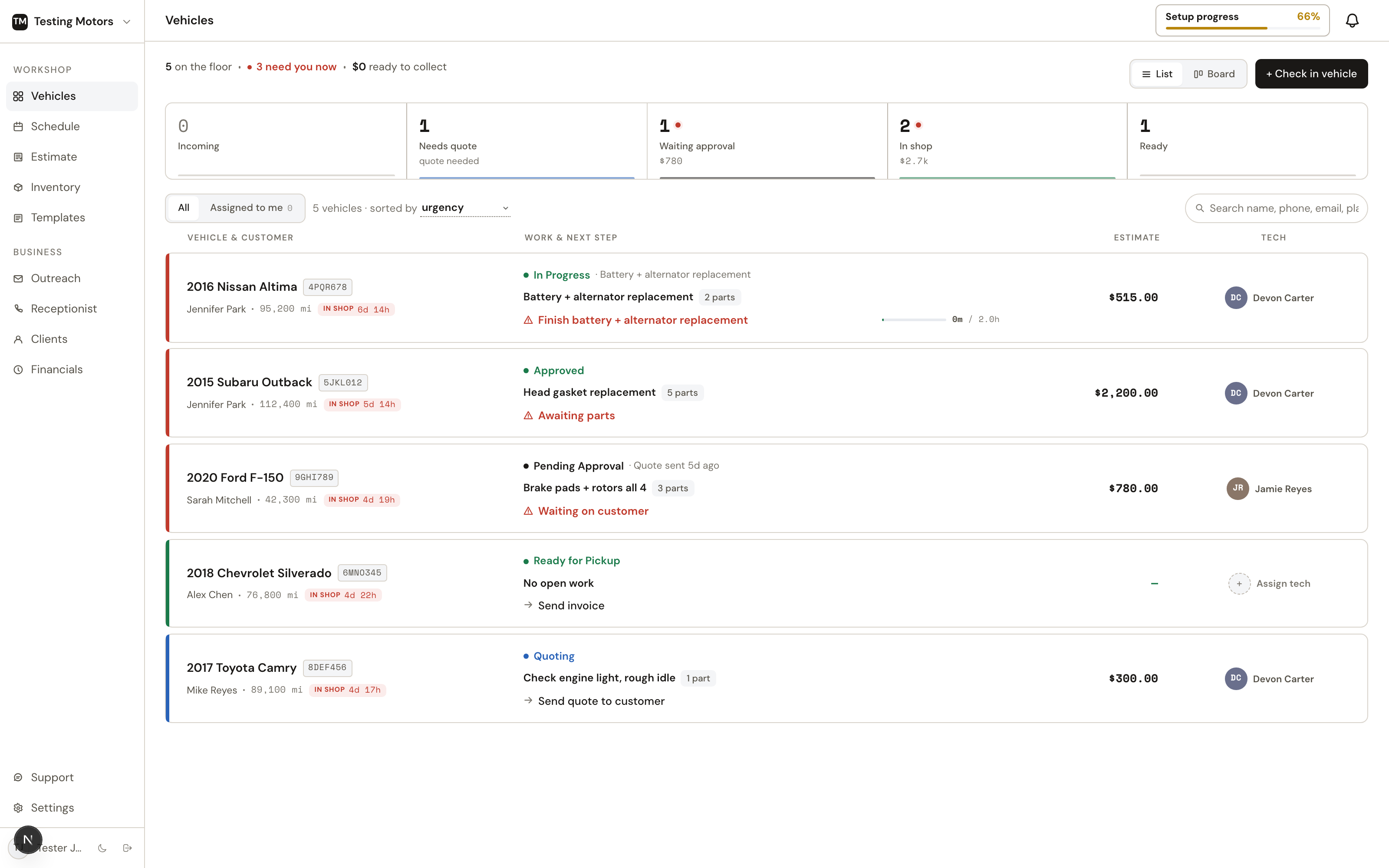
The Vehicles page is the heart of CarSignal. It shows every active car as a card (Board view) or a row (List view), grouped by where it is in the pipeline.
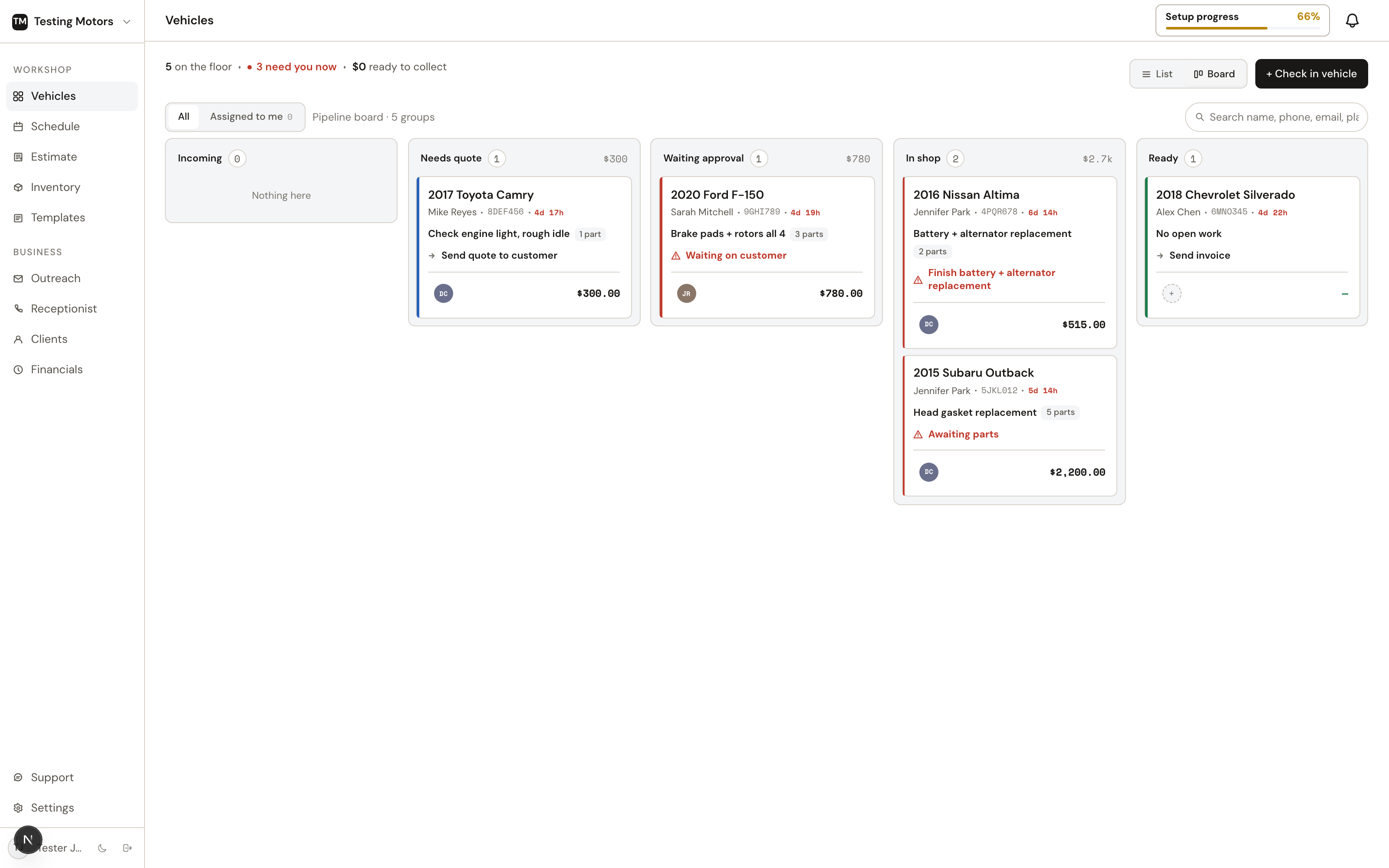
The six lanes
| Lane | What it means |
|---|---|
| Scheduled | Booked appointments and brand-new leads that have not been checked in |
| Needs quote | The car is here (or the request is in), but nothing is priced yet |
| Waiting approval | An estimate was sent and the customer has not answered |
| Waiting parts | Approved work with parts that still need ordering |
| In repair | Parts are handled (or the job needs none); the work can run |
| Ready | Work is done; collect payment and hand back the keys |
The Waiting parts / In repair split follows your real parts status: a part counts as handled once it is ordered through PartsTech, marked ordered by hand, or pulled from inventory. The moment the last part on a car's approved jobs is handled, the card moves to In repair on its own.
Each card answers the whole visit at a glance: the vehicle and its plate up top, then the customer (tap the name for phone, email, or a text thread — an unread-texts badge shows right beside it), time in shop and bay. The money line shows approval progress — $1,240 of $1,854 approved over a small bar — so you can see what's sold without opening anything; on Ready cards it becomes the invoice journey (Invoice sent · not opened, Paid). Below that, the work reads on one line, then a facts line with parts progress (5 of 7 parts ordered — orange while anything is unordered) and whether the customer opened the document. The footer keeps the next action, any promised time, and the assigned tech with their name — and the next action is a button: Check in, Record customer approval, Order parts, Mark complete, and Mark picked up all run right from the card (Send quote opens the vehicle, where the review-and-send flow lives). Hover a card for anything that got clipped.
When a quote or invoice is out with the customer, the same line says whether they opened it: Viewed 2h ago in green, or Not opened yet. That one fact tells you whether to wait or to call.
Click the customer name on a card for their contact details: phone, email, and a Text customer action that opens the same message thread as the vehicle page, right over the board.
Next actions
Every vehicle shows one computed next action, so nobody has to reconstruct state from memory: Build quote, Send quote to customer, Waiting on customer, Order parts, Awaiting parts, Finish the job, Collect payment, Mark picked up. A booked car whose appointment day passed without a check-in reads Missed appointment, follow up.
Urgency flags
A red flag means a real bottleneck, not just age:
- Waiting on approval for more than 48 hours
- Approved but parts not ordered within 24 hours
- Waiting on parts for more than 5 days
- In progress with no update for 72 hours
- Ready for pickup for more than a day
- A missed appointment
List vs Board
List view is a sortable table (default sort is urgency) with the same information plus labor progress. Board view is the pipeline at a glance. The All / Assigned to me toggle filters to your own cars, and search matches name, phone, email, plate, VIN, or RO number.
Board cards drag, and a drop runs the real action, never a silent relabel:
- Scheduled into the shop checks the car in. It then lands on whatever lane its jobs really put it.
- Needs quote to Waiting approval opens the vehicle to send the quote.
- Waiting approval to In repair or Waiting parts asks to record an in-shop approval (for the customer who said yes in person or by phone).
- Waiting parts to In repair asks to mark the approved jobs' parts ordered, for parts ordered by phone or at the counter. PartsTech orders still go through the cart on the vehicle page.
- Into Ready finishes the job. With several jobs open, a picker asks which ones are done.
While you drag, the lanes that can take the card light up. A drop the car's state cannot support (say, Needs quote straight to In repair) does nothing but tell you what has to happen first, and the card stays put. Cards never move backward by hand; they move back on their own when work reopens.
You never set a stage by hand. Stages are derived from facts, like whether a quote exists, whether it is approved, and whether parts are ordered. See Stages and next actions.