 CarSignal
The Inventory page tracks the parts your shop keeps on the shelf: oil, filters, pads, wipers, whatever you stock.
What it tracks
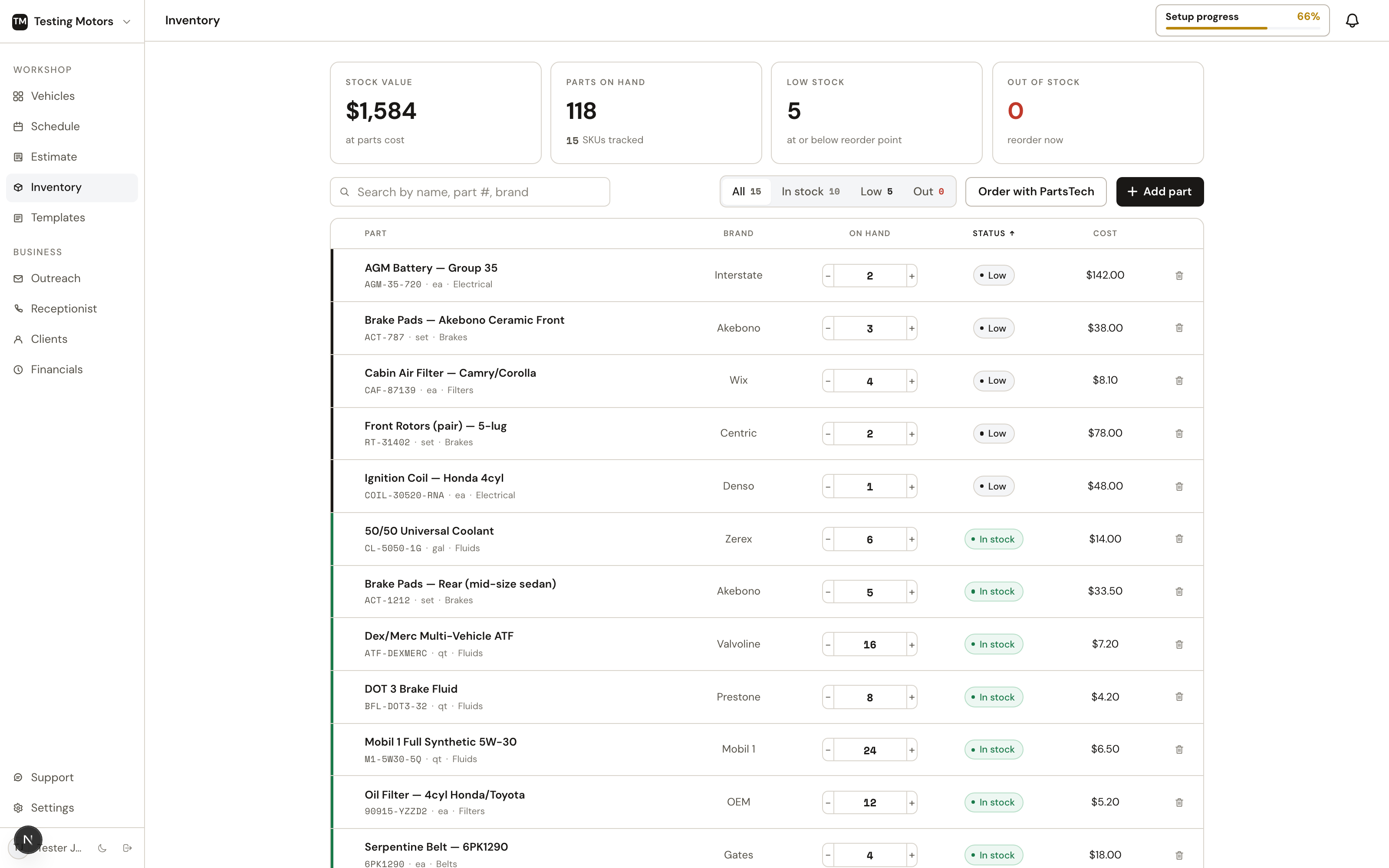
Each part carries a name, part number, brand, category, unit, your cost, on-hand count, and a low-stock threshold. Counts take decimals, so 2.5 quarts of bulk oil is 2.5, not a rounding compromise. Every row answers the shelf questions in one line: on hand, claimed for jobs, available, incoming from suppliers, unit cost, and shelf value, with a status pill (in stock, low stock, needs reorder, on order). The header sums it up — part count, stock value, and how many parts need a reorder — and the toolbar has search, a needs-reorder-only switch, status and category filters, and sorting. The list fits your screen and paginates; the footer keeps the totals in view. Edit an on-hand count right in the row; rows that need a reorder carry an Order button that opens the supplier search already looking for that part number.
The Orders tab lists your supplier stock orders — the items and their costs, order and PO numbers, part count, total, status, and ETA. Delivered orders move onto the shelf automatically the moment the delivery is detected, and stay listed for a month.
Bought parts somewhere else — a counter purchase, a phone order, dealer parts? Record outside order on the Orders tab takes a photo or PDF of the invoice (or the pasted email) and reads it into inventory for you: supplier, order numbers, and every part line with quantity and cost, matched against what's already on your shelf. You review and edit the draft before anything is saved; delivered orders land on hand, pending ones land as on order.
Returns
Send a part back to the supplier from its row menu (Return to supplier): pick the quantity and reason, and the units come off the shelf immediately. The Returns tab tracks each return until the supplier answers — record the credit amount when it lands, or mark it denied; cancelling a pending return puts the stock back. Every movement shows in the part's history.
Using stock on estimates
Inventory parts drop straight onto any estimate as line items with cost and retail already set — on repair orders and in Quick Estimate. On-hand counts keep the floor honest about what is actually on the shelf.
Typing a part description on a job also searches your stock as you type: pick the match and the line fills in with the part number, cost, retail, and condition, linked to the shelf. Each linked line shows its coverage right on the job — from stock when the shelf covers it, or 2 of 3 from stock · order 1 when it doesn't. Stock goes to the oldest claim first, so if another job releases a part (line removed, job cancelled, or the part ordered from a supplier instead), the next job in line picks it up automatically.
Adding a part to a job reserves it: the shelf count stays put, but the units show as claimed until the job completes (when stock actually deducts) or the line is removed (the claim releases). Unpaid counter sales reserve their parts the same way — held from the moment the sale is created until it's paid (stock deducts) or voided (the hold releases). Jobs and sales draw from one pool, so a part can't be promised twice.
Stock status runs on what is free to promise (on hand minus everything reserved), so a part that is physically present but fully spoken for reads as out. Adding more than what's free never blocks you — the row shows how many are reserved and, when you're short, how many to order.
Selling over the counter
The Counter sales tab rings up a part or quick charge with no vehicle attached, right on the Inventory page: search your stock onto the sale (free-to-promise counts shown as you pick), set quantities and prices, and charge — it creates a real invoice, holds the stock while unpaid, and deducts on payment. Take cash at the counter, send the invoice by text or email, or save it as a draft; every sale stays listed on the tab with its status. See counter sales.
History
Every quantity change is logged: used on a job (and which one), counted, received, added, removed — with who and when. Open any part to see its recent history.
Restocking
Order stock opens PartsTech itself right on the Inventory page — the same native PartsTech window you use for job parts. Search your suppliers, build the cart, and submit the quote in PartsTech; it comes back as a cart in CarSignal where you review the parts, add a PO, and place the order. Your PartsTech cart survives closing the window — reopen Order stock (even from a part row's Order button) and the parts you carted are still in it. Only placing it sends the order to the supplier and marks the parts on order. A quote you close without ordering waits on the Orders tab. A part that needs a reorder carries an Order button on its row that opens PartsTech already searching for that part number.
Inventory is your shop's own stock only. Supplier availability and pricing live in the PartsTech flow.