 CarSignal
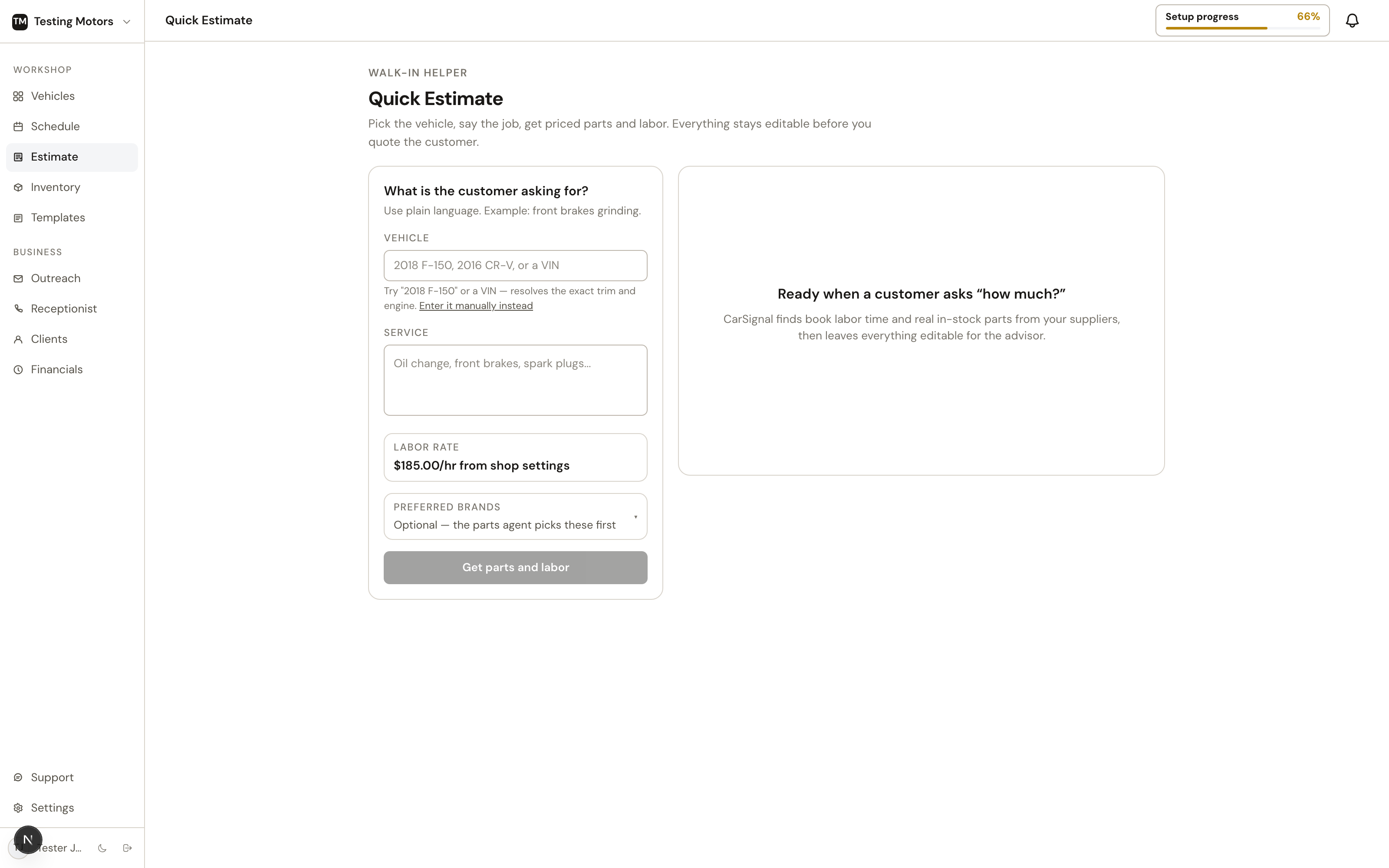
Quick Estimate is the standalone estimator in the sidebar, for phone quotes and walk-ins when there is no vehicle on the board yet.
How it works
- Enter the vehicle and the repair in plain English: "2016 Mazda CX-5, front brake pads and rotors." Pick the exact catalog variant; CarSignal carries its trim and engine into parts, labor, and fluid-spec matching.
- CarSignal checks real supplier stock through PartsTech and exact MOTOR book labor, then separates a combined request into clear job cards. "Oil change and front brakes" shows two jobs, each with its own named labor operation, book time, and parts.
- Review labor first on each job. Add another operation, remove one, or edit the quoted hours. Book time stays visible even when you choose to quote a different number. If MOTOR has no match, use a clearly labeled manual labor row instead. When enough similar vehicles have been invoiced across CarSignal (at least 20 of that job on the same platform), the job's labor header also says what those shops actually billed, for example "similar vehicles bill 2.1h on 2015-2017 Accord 2.0T (n=84)". It is a reference beside the book time, never a line on the estimate.
- Edit the parts, then copy a customer-clean version of the estimate to text or read over the phone. Typing a shop cost fills the retail from your parts markup matrix, and picking an inventory item without a set retail does the same; a retail you type yourself always wins.
Need to correct the vehicle or request? Choose Edit request, make the change, then rebuild the estimate.
Leaving the page no longer loses your work. The last five estimates you built are saved in this browser and listed under Your estimates when you come back, each with its status (Building, Ready, Needs review, Check before sending, or Added to vehicle), total, and when it was last touched; click a row to pick up exactly where you left off, edits included. Entries expire after seven days because supplier prices go stale.
Your work sticks: the request you typed, the estimate on screen, and even a build still running all survive switching tabs — come back and pick up where you left off. The compact total panel stays visible while you work. It uses your shop's own pricing from Settings: labor rate, tax, parts markup, your default shop-supplies charge, and your environmental fee, so the number you read out is the number the real quote lands on.
You do not have to wait on a build. Start another estimate while this one builds hands the form back; the running estimate appears in Your estimates with a live Building status and loads when you click it, or on its own if you have nothing else open. Finished and failed runs can be dismissed from the same list. All estimates returns from an estimate to the main Quick Estimate page; the estimate you were on stays in the list.
Owners and admins also see an Estimated profitability panel beside the customer total: gross profit and margin, with the parts cost and estimated labor cost behind them (billed hours at your average tech pay from Settings, Team), plus a profit figure on each job card. It uses the same math as the job margin on the issue page and Financials. If no hourly tech pay is set, labor counts as pure profit and the panel says so. Hide internal pricing collapses every cost cell and the profitability panel in one click, so the screen can face a customer at the counter; profit never appears in the copied estimate text either.
Quick Estimate uses the same MOTOR search and ranking as the labor picker on an issue. Book times come from CarSignal's own MOTOR license, so they do not depend on a PartsTech connection. A matched operation keeps MOTOR's real operation ID, name, and exact book hours; CarSignal does not silently round the time up. When MOTOR returns no labor rows for the vehicle or is temporarily busy, the picker says that directly instead of making every search look like a bad phrase. Add manual labor only after you confirm the time from another source. If a job truly needs no labor, confirm No labor required so it cannot be missed by accident. The same picker has a Fluids tab with everything MOTOR publishes for the vehicle: oil grade and manufacturer approval, fill with and without filter, coolant chemistry and capacity, and the other fluids. Under the totals, a notice reminds you the estimate is AI-assisted and that the complete book times and fluid specifications should always be consulted before quoting.
For a pads-and-rotors job, CarSignal checks both MOTOR operations and grounds the estimate in the matching rotor R&R time. It does not add the full pad and rotor times together because they share teardown. Some vehicles have no separate rotor operation in MOTOR at all; on those, the pads operation is the complete book time for the job and the labor line says so. A catalog pad set or rotor set at quantity 1 already covers the axle; individual rotors remain quantity 2. Front and rear stay attached to every supplier search, so a catalog part marked for the opposite axle cannot be selected. One SKU cannot silently fill both axle jobs unless the catalog explicitly confirms both positions.
Guardrails
The estimate fixes findings it can prove from the vehicle, catalog, and package data, then checks the corrected result again. It flags only what still needs a second look: no labor-guide match, unusual part pricing, ambiguous fitment, or another fact the available sources cannot settle. Oil-change quantities come from exact licensed book capacity first. For a brand-new model year not covered yet, CarSignal can use two agreeing prior-year book records only when both match the same trim, powertrain, and billable fill quantity. If book data is still missing, it can use cited exact-vehicle web research from the manufacturer or two independent sources that agree. Every prior-year reference is labeled for confirmation. CarSignal then converts the grounded fill into the supplier package quantity, such as five one-quart bottles, one five-quart jug, or one six-quart case. When one supplier hides the container size, CarSignal prefers an otherwise matching oil whose quart or liter size is explicit. If none of those routes can verify capacity, the estimate asks you to confirm the displayed quantity instead of inventing a number. Choose I confirmed the displayed oil quantity after checking it; the estimate cannot be added or quoted until you do.
A combined request is all-or-nothing: if any job fails to build, that job stays visible as Job not priced and the estimate cannot be added to a vehicle until you rebuild it. A labor operation also needs hours above zero; remove it and confirm No labor required when that is the real decision.
If the customer says yes
Add to vehicle puts the estimate on a car on your board exactly as you see it: one labor line for every operation you kept, with the real MOTOR operation name and ID, plus the same parts already in a PartsTech cart. Nothing is re-priced behind your back. Search by customer, plate, or VIN, pick the car, and the jobs appear as suggested lines ready to quote. Labor additions, removals, edited hours, part quantities, prices, and removed lines all carry over.
Car not on the board yet? Choose Create as a new vehicle in the same dialog. CarSignal creates the vehicle from the estimate's own year, make, model, trim, engine, and VIN, then adds the jobs to it in one step. If the VIN already belongs to a car on your board, that car is reused so its history stays in one place. Attach the owner from the vehicle page whenever you have their details.
The car isn't in CarSignal yet? Check it in first from the Vehicles page, then add the estimate to it.